Jewelry photography ideas, beyond the white square.
Jewelry gives you more creative room than almost any product — light plays in it. Seven ideas that use that, from macro sparkle to worn storytelling, each achievable physically or from one uploaded photo.
Jewelry & watches · Furniture & interior
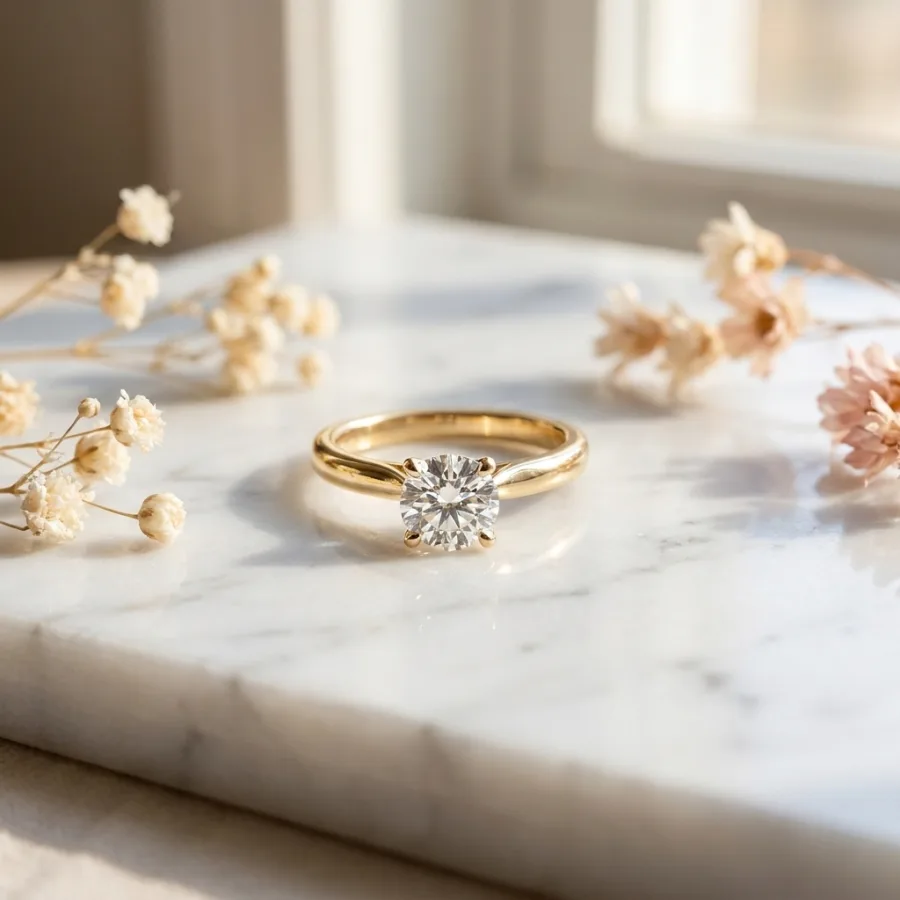 After
After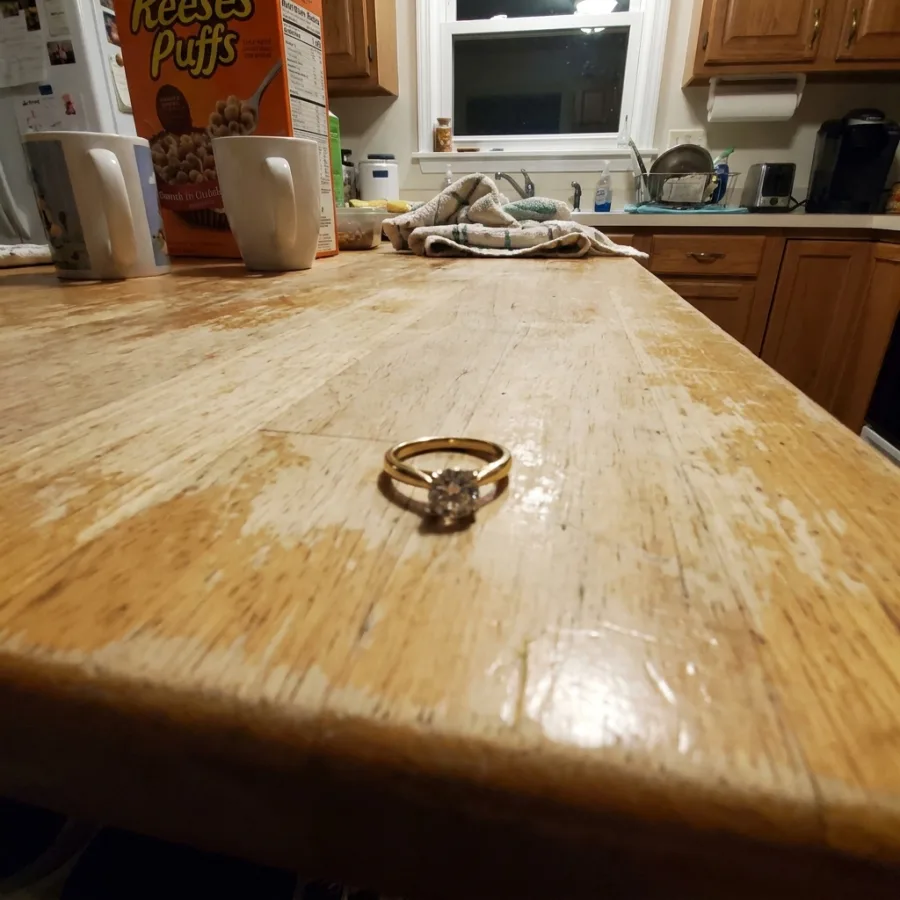 Before
Drag to compare — real Luvelano output
Seven jewelry photography ideas
Every idea keeps one rule: the piece must remain exactly the piece. Style the world around it, never the product.
- 01
Macro on the stone
Fill the frame with the setting and let the facets carry the shot. This is the quality-proof image every fine piece deserves.
- 02
The worn close-up
Ring on a hand, pendant at a collarbone. Scale and desire in one image — the highest-performing supporting shot for most jewelry listings.
- 03
Echo the stone's colour
A background tone picked from the gem — soft green behind emerald, warm blush behind rose gold. Subtle, and it makes the stone sing.
- 04
One textured surface
Stone, velvet or linen under the piece, one texture only. It adds a premium sense of place without competing.
- 05
Directional evening light
A harder, warmer light from one side turns a packshot into an evening scene — same piece, dinner-party mood.
- 06
The collection family shot
Ring, earrings and necklace of one line together in a quiet arrangement — the image that sells the set instead of the item.
- 07
The honest scale shot
The piece beside a familiar reference or on the body. Unromantic, and it prevents the most common jewelry return: 'smaller than expected'.
Upload one photo of the piece and generate the macro, the worn shot and the styled scene — with stone, metal and setting kept exactly identical.
Start free — no card neededFrom snapshot to shelf in three steps
No new gear, no learning curve. Luvelano does the studio work for you.
Upload your photo
One plain phone photo of your product is enough — no gear, no setup.
Pick a look
Studio packshot, lifestyle scene or on-model shot — you choose the output.
Publish
Download catalogue-ready images in minutes and put them straight on your shop.
Start free, upgrade when your shop grows
Paid plans from €19/month for your whole catalogue. Cancel anytime.
Frequently asked
What are good jewelry photography ideas for a webshop?
Beyond the packshot: a macro of the stone, a worn close-up for scale, and one styled scene whose colours echo the piece. Those three answer quality, size and style in order.
How do I photograph jewelry so it sparkles?
Sparkle is contrast: soft overall light plus one small harder source aimed at the stone. Move the small light until the facets fire, keep everything else diffuse.
Can these shots be generated instead?
Yes. Luvelano generates each idea from one uploaded photo, keeping the piece identical — and shows the full-resolution result for approval before it costs you anything.
Explore more solutions
See your own products transformed
Upload one photo and watch Luvelano stage it in seconds. Free to start — no card required.
Get started free